Get unstuck
Recover an incomplete import
Find the actual state before retrying or creating duplicates.
Read the transcript
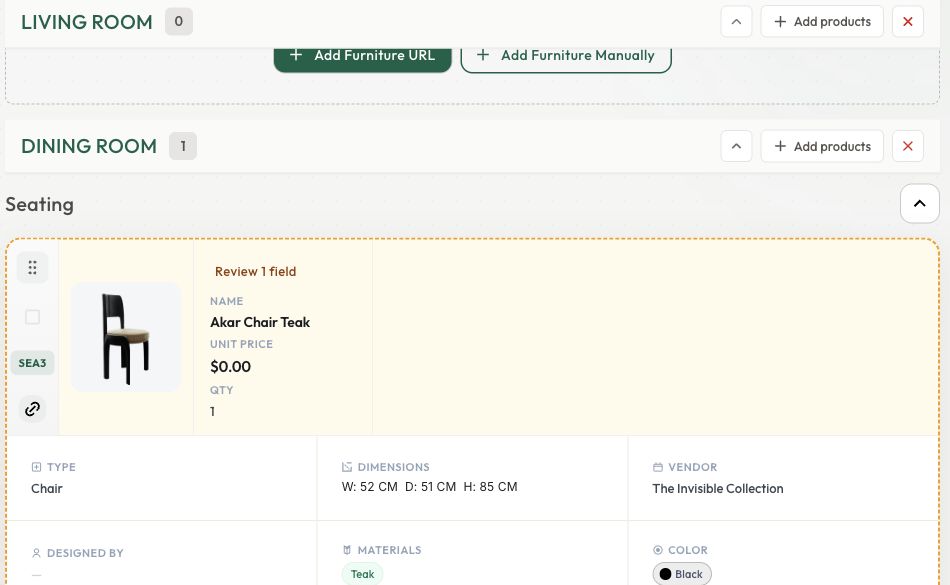
A card can still be processing after a submission succeeds. Check the loading state and wait for the details and images before starting another import. Use the Review badge and compare the product with its source. Missing dimensions can be entered manually. A quote-only product may legitimately have no public price. Open the editor, add verified information and save. Reload to check persistence. Here, the dimensions stayed saved and the image arrived later, leaving only the unconfirmed price. For document imports, analysis and adding products are separate steps. Check the original conversation and review panel. Confirm the room and category, then import the ready rows instead of uploading the same source again.
Before you start
- Access to the original project and source.
Step by step
- 1
Check whether work is still running
Cards may appear while details and images are still processing. Inspect progress and error messages.
- 2
Look across schedules and filters
Clear search and filters and inspect the other schedule tabs and rooms before importing again.
- 3
Resolve missing details
A zero price can mean unknown. Check the supplier page, then correct the card or use a manual product if extraction cannot recover the needed details.
- 4
Resume document drafts
Reopen the original Studio conversation. Finished analysis is not the same as a completed import; review and import ready rows.
- 5
Retry deliberately
Check the source and any cost before retrying. Repeatedly submitting the same URL can create duplicates. Contact Support with the project and exact message if work remains stuck.
Check the result
Each intended product is accounted for, corrected, or identified as still needing attention.
Keep exploring
Import from a document or image
Analyze a source, review the draft items, and add the ready selections.
1:11 · Narrated tutorialImport supplier links
Bring products into Casa and distinguish submitted links from completed imports.
0:44 · Narrated tutorialReview and correct product details
Turn extracted information into a selection you can confidently use.
0:46 · Narrated tutorial